
Tie your Global earnings to your Rope Horse Rewards horse
You sign in with your Global ID and password, the same ones you use to enter ropings.
How it works
Select an eligible horse from your Rope Horse Rewards entries for each winning result in the average.
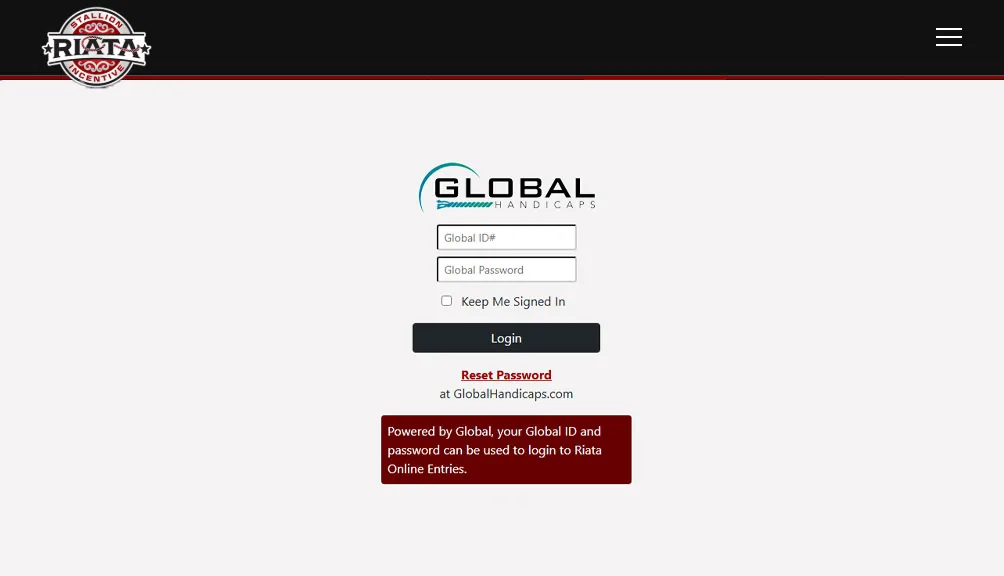
Sign in with your Global account
Sign in with your Global ID and password. If you have forgotten your password, you can reset it at GlobalHandicaps.com.
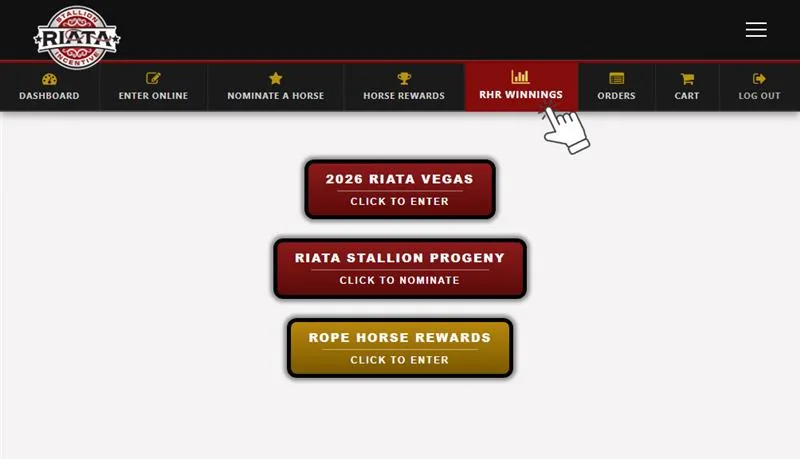
Click RHR Winnings
In the menu at the top, click RHR Winnings.
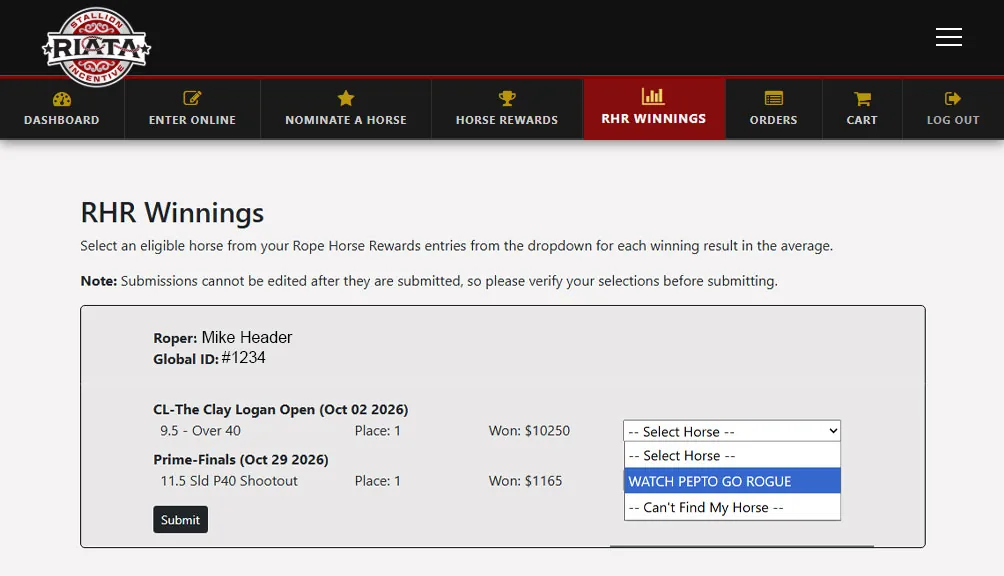
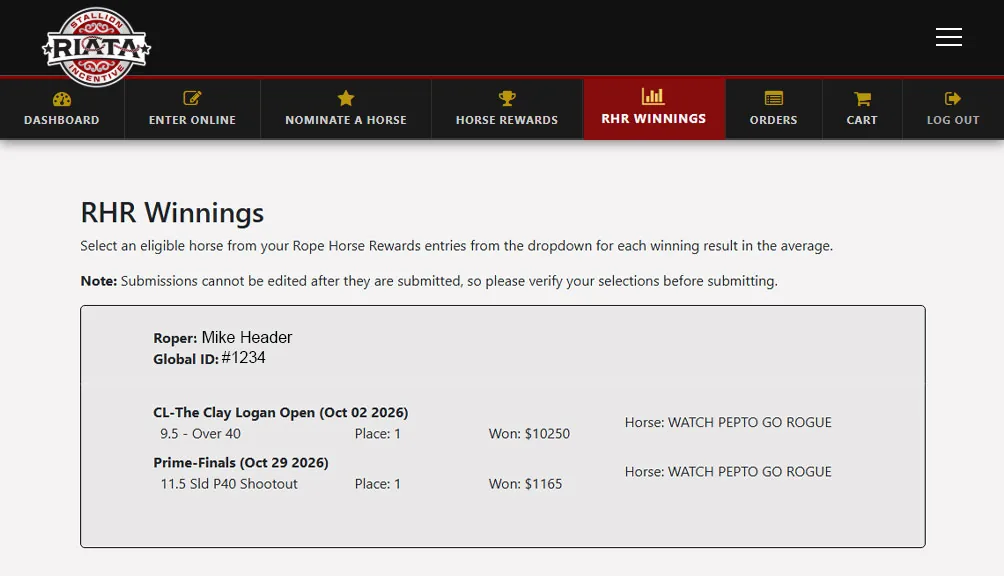
Pick your horse for each win
Each winning result in the average is listed with the roping, your place and what you won. Use the dropdown next to each one to choose the horse you rode from your Rope Horse Rewards entries. An entry that is not paid yet is listed in red under Current Unpaid Entries and is not in the dropdown.
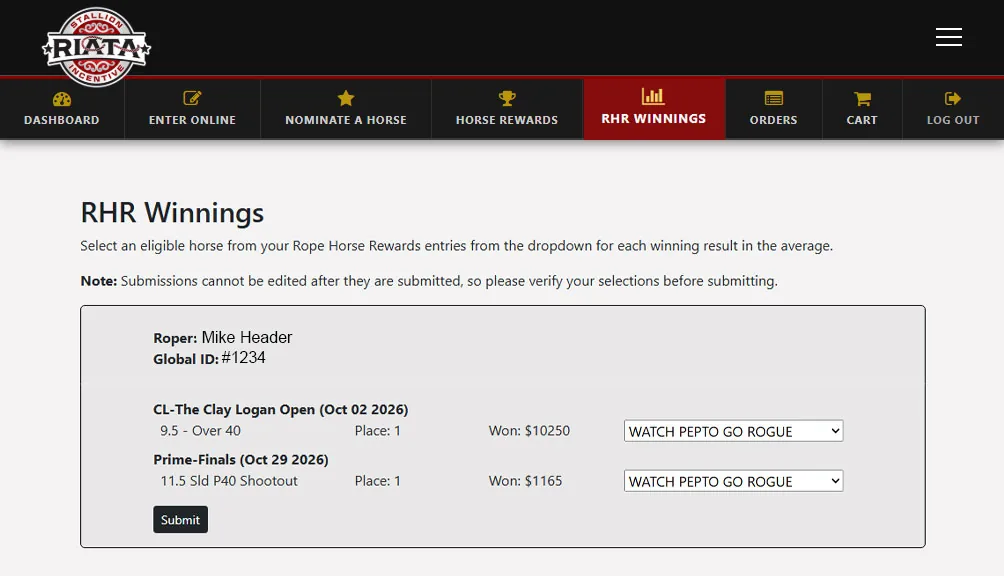
Check your choices, then submit
Make sure each win has the right horse, then click Submit. Submissions cannot be edited after they are submitted, so please verify your selections before submitting.
See your saved choices
After you submit, each result shows the horse you chose. When there is nothing left to assign, the page says "No new results to submit."
Questions? Call 801‑447‑5565

Rope Horse Rewards sponsors







© 2026 National Rope Horse Rewards Program